Practical Guide: Implementing WebP and AVIF Conversions for E-Commerce Performance in 2026
A practical developer and merchant guide to implementing WebP and AVIF image conversions for e-commerce sites, boosting Core Web Vitals, and driving revenue in 2026.
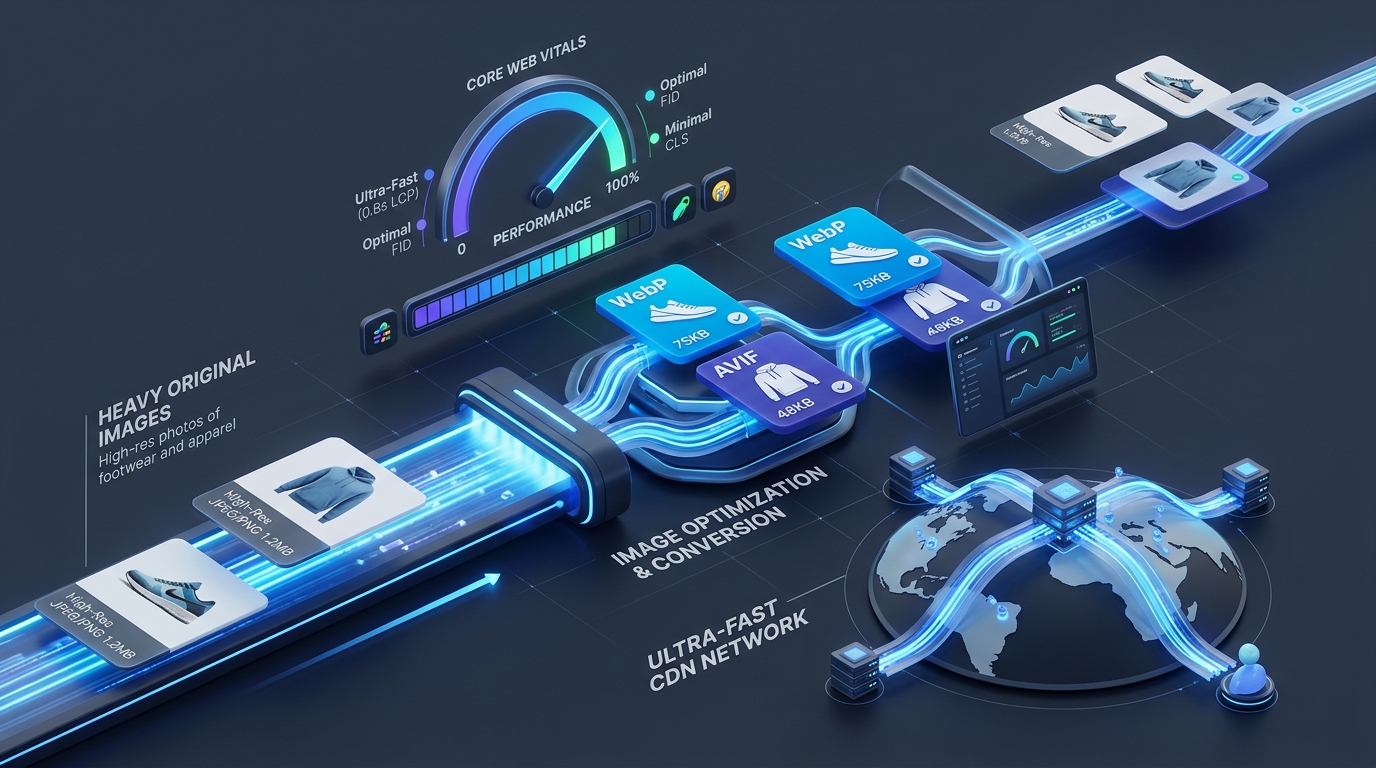
In 2026, page speed is no longer just a technical scorecard metric—it is the single highest-leverage revenue driver in modern e-commerce. As mobile commerce accounts for over 72% of all digital retail transactions, online merchants face an uncompromising consumer base: every 100-millisecond delay in page load time reduces e-commerce conversion rates by up to 7%, while bounce rates double when load times stretch past three seconds.
On virtually every commercial storefront—whether powered by Shopify, WooCommerce, Magento, or custom headless Next.js architectures—unoptimized product imagery constitutes 65% to 80% of total page weight. Legacy image formats like JPEG and PNG are simply too heavy for modern mobile networks and responsive high-density displays.
Transitioning your catalog to next-generation formats like WebP and AVIF delivers immediate, measurable gains in user experience and search visibility. However, successfully executing this migration requires more than flipping an arbitrary setting; it requires an intentional, step-by-step implementation strategy.
In this practical guide, we outline how merchants and frontend engineers can audit, convert, and progressively serve WebP and AVIF assets to supercharge e-commerce performance and dominate Google's Core Web Vitals in 2026.
1. The Core Web Vitals Equation: How Next-Gen Formats Drive Store Revenue
Google's ranking algorithm directly penalizes sluggish e-commerce websites through its Core Web Vitals (CWV) thresholds. When you replace heavy legacy formats with WebP and AVIF, you directly resolve the three most critical web performance metrics:
Largest Contentful Paint (LCP)
On product detail pages (PDPs) and category listing pages (PLPs), the primary product hero shot is almost always the designated LCP element. When an uncompressed 2.8 MB JPEG hero image is served, mobile browsers stall while downloading, decoding, and rendering the file, frequently pushing LCP into the "Poor" zone (> 4.0 seconds). By converting that exact hero image to AVIF or WebP, the payload drops to 110 KB–180 KB, pulling LCP safely below the coveted 2.5-second "Good" threshold.Interaction to Next Paint (INP)
Large image files do not just consume network bandwidth; they occupy the browser's main thread during the rasterization and decoding phases. When a mobile shopper attempts to tap "Add to Cart" or toggle a product variant while the browser is struggling to decode twenty heavy PNG collection thumbnails, main-thread blocking causes stuttering and input delays. Modern lightweight formats drastically reduce image decoding overhead, ensuring snappy, instantaneous user interactions.Cumulative Layout Shift (CLS)
A frequent mistake during ad-hoc image updates is altering natural aspect ratios, causing category grids to visibly jump as assets finish loading. Establishing structured modern picture markups with explicit aspect ratio containers guarantees zero visual shifts.2. Why Legacy JPEG and PNG Siphon E-Commerce Profit Margins
For over two decades, baseline JPEG and PNG formats formed the bedrock of digital photography. However, their compression algorithms were engineered before high-DPI smartphone displays, cellular data caps, and modern image transform pipelines existed:
By contrast, modern WebP provides 25% to 35% smaller file sizes than comparable JPEGs with complete transparency support, while AVIF (utilizing the open-source AV1 video codec standard) delivers up to 50% greater compression efficiency than JPEG without visible degradation.
3. The 4-Step Technical Migration Blueprint for Online Stores
To modernize your storefront's visual asset delivery without breaking browser compatibility or risking downtime, follow this four-phase engineering framework.
Step 1: Inventory & Payload Audit
Begin by scanning your highest-traffic templates—your Homepage, Top 10 Product Detail Pages, and Category Grids—using Chrome DevTools Network panel or PageSpeed Insights.Step 2: Batch Modern Format Conversion
Before touching server templates, batch convert your core catalog assets. Rather than uploading sensitive, unreleased seasonal product shoots to third-party cloud APIs that retain copies of your catalog, use secure browser-based tools:Step 3: Progressive Delivery with the HTML5 Picture Element
Browser support for WebP exceeds 97% globally, and AVIF support has reached over 93% across modern versions of Chrome, Safari, Firefox, and Edge. However, to guarantee 100% backward compatibility for legacy enterprise browsers, always deploy the HTML5 `<picture>` element:<picture>
<!-- 1. Serve AVIF to the newest browsers for maximum compression -->
<source srcset="/images/products/sneaker-pro.avif" type="image/avif" />
<!-- 2. Serve WebP as a universal high-performance fallback -->
<source srcset="/images/products/sneaker-pro.webp" type="image/webp" />
<!-- 3. Fallback to optimized standard JPEG for older clients -->
<img
src="/images/products/sneaker-pro.jpg"
alt="Performance Trail Running Sneaker in Cobalt Blue"
width="1200"
height="1200"
loading="eager"
fetchpriority="high"
decoding="async"
/>
</picture>
The browser automatically negotiates content headers and downloads the most advanced format it supports, completely bypassing the heavier fallbacks.
Step 4: Loading Strategy & Dimension Reservation
4. Platform-Specific Integration Tactics for 2026
Depending on your store's underlying technology, implementation patterns vary:
| Platform / Framework | Implementation Strategy | Key Advantage |
|---|---|---|
| Shopify | Utilize Liquid image filter `image_url: format: 'pjpg'` or `format: 'webp'` alongside responsive `srcset` parameters. | Leverages Shopify's built-in Cloudflare image transformation engine automatically. |
| WooCommerce (WordPress) | Enable native WebP uploads via WordPress 6.5+ media settings, or implement NGINX/Apache rewrite rules that transparently serve `.webp` when supported. | Zero recurring SaaS plugin costs; direct control over media library storage. |
| Headless (Next.js / Hydrogen / Nuxt) | Implement `next/image` or modern `<picture>` tags configured with `formats: ['image/avif', 'image/webp']`. | Automatic build-time or on-demand edge optimization with automated cache invalidation. |
5. Quality vs. Compression Benchmarks: Achieving the Sweet Spot
One of the greatest fears among luxury and apparel merchants is that compression will compromise fabric texture, jewelry luster, or color fidelity. In 2026, modern perceptual quality metrics—such as Butteraugli and SSIMULACRA 2—prove that WebP and AVIF maintain structural image integrity at significantly higher compression ratios than legacy formats:
6. Privacy & Security: The Strategic Advantage of In-Browser Client-Side Processing
When preparing unreleased holiday collections, private label manufacturing prototypes, or exclusive high-res lookbooks, data sovereignty is a crucial operational concern. Relying on cloud-based optimization microservices requires transmitting your digital assets over the public internet to third-party processing clusters, exposing your business to data leaks and vendor outages.
With ImageProBox:
Maximize Your E-Commerce Store Speed Today
Upgrading your online catalog to WebP and AVIF is the fastest, most cost-effective performance optimization you can implement in 2026. By slashing page payloads, securing sub-2.5-second LCP scores, and guaranteeing seamless mobile browsing, you convert more shoppers and protect your profit margins.
Start optimizing your store's imagery with our free, browser-native tools: