Secure Client-Side Image Processing & Compression: The Power of Image Compressor Pro
Discover how Image Compressor Pro leverages secure client-side image processing to compress images with zero server uploads, total privacy, and maximum speed.

In an era dominated by high-resolution digital cameras, 4K displays, and rich visual web content, media files represent over 60% of all data transferred across the internet. For web developers, eCommerce managers, digital marketers, and mobile photographers, keeping image payload lean is essential for passing Google Core Web Vitals and retaining visitors.
However, traditional online image optimizers present a critical dilemma: to compress or convert your images, you have historically had to upload them to third-party cloud servers. For corporate teams handling unreleased product mockups, legal firms processing evidence, or individuals protecting personal family photos, cloud uploads introduce unacceptable security and privacy risks.
This is where secure client side image processing and modern image compressor pro architectures revolutionize the industry. By moving heavy computational workloads directly into the user browser, you can achieve elite compression ratios with zero cloud exposure.
1. Why Zero-Server Uploads Matter for Data Privacy
When you upload an image to an unverified cloud compression service, your media travels through third-party networks and lands on remote storage disks. This introduces substantial vulnerabilities:
With client-side image processing, your private files never leave your machine. The browser acts as a sandboxed, isolated execution environment where bytes are read into local RAM, compressed, and downloaded directly to your local drive.
2. The Technology Behind Secure Client-Side Compression
How can a web browser compress gigabyte-sized image batches without lagging your computer? Modern web standards have made desktop-grade performance possible within ordinary web pages:
A. WebAssembly (Wasm)
WebAssembly executes compiled C++ and Rust optimization libraries at near-native CPU speed inside browser runtimes. Instead of relying on slow interpreted JavaScript, Wasm executes low-level quantization and Huffman encoding algorithms in milliseconds.B. Hardware-Accelerated Canvas & Web Workers
Multi-threaded Web Workers run compression routines in background threads without blocking user interface responsiveness. Meanwhile, GPU-accelerated canvas contexts handle color space transforms and spatial resampling with maximum battery and CPU efficiency.3. High Performance Without Visual Degradation
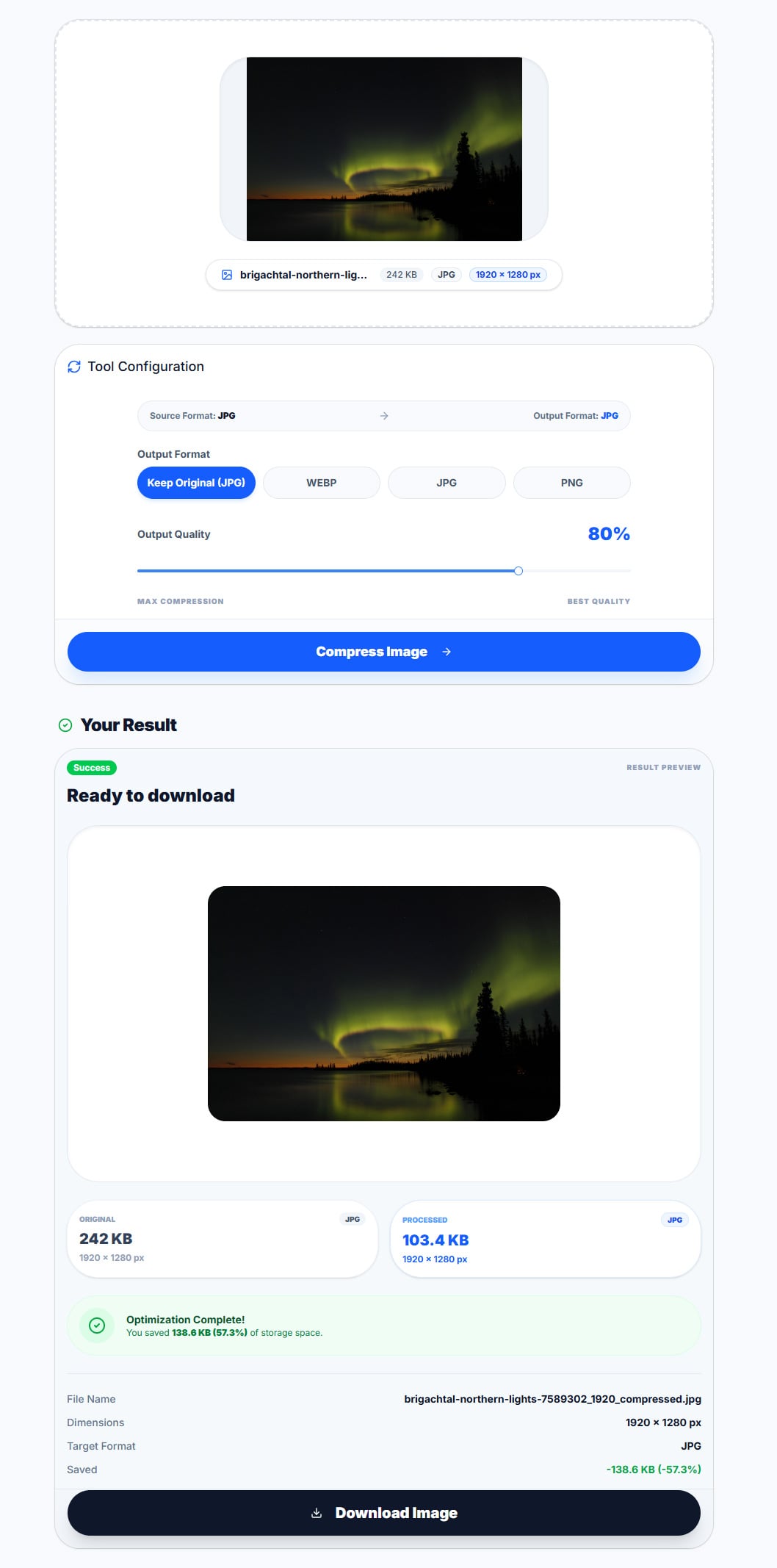 Figure 1: Authentic browser demonstration of the ImageProBox Image Compressor. A 1920 × 1280 px JPEG photograph (242 KB) is compressed at 80% quality down to 103.4 KB, achieving 57.3% storage savings completely within the browser. Note: This result is an example; actual savings vary depending on source image complexity, existing compression, and chosen settings.
A true image compressor pro does not merely degrade image quality to reduce file size. Instead, it utilizes psycho-visual quantization:
4. Professional Workflows with ImageProBox
ImageProBox was built from the ground up to provide enterprise-grade image tools with complete client-side data sovereignty.
Take control of your media pipeline:
1. Compress Images Locally: Shrink JPEG, PNG, and WebP assets instantly with the Image Compressor.
2. Convert to WebP: Accelerate website page load speeds using our lightning-fast WebP Converter.
3. Lossless Dimension Scaling: Adjust responsive asset dimensions using the Image Resizer.
4. Image Enhancement & Upscaling: Fine-tune sharpness and contrast locally in your browser or run 2x server upscaling via the Image Enhancer.
Protect your data integrity while boosting web performance today.