How AI Image Cutout and Precision Cropping Are Changing E-Commerce Photography in 2026
Explore how ai image cutout algorithms and precision image cropping streamline e-commerce product photography workflows and protect asset privacy in 2026.
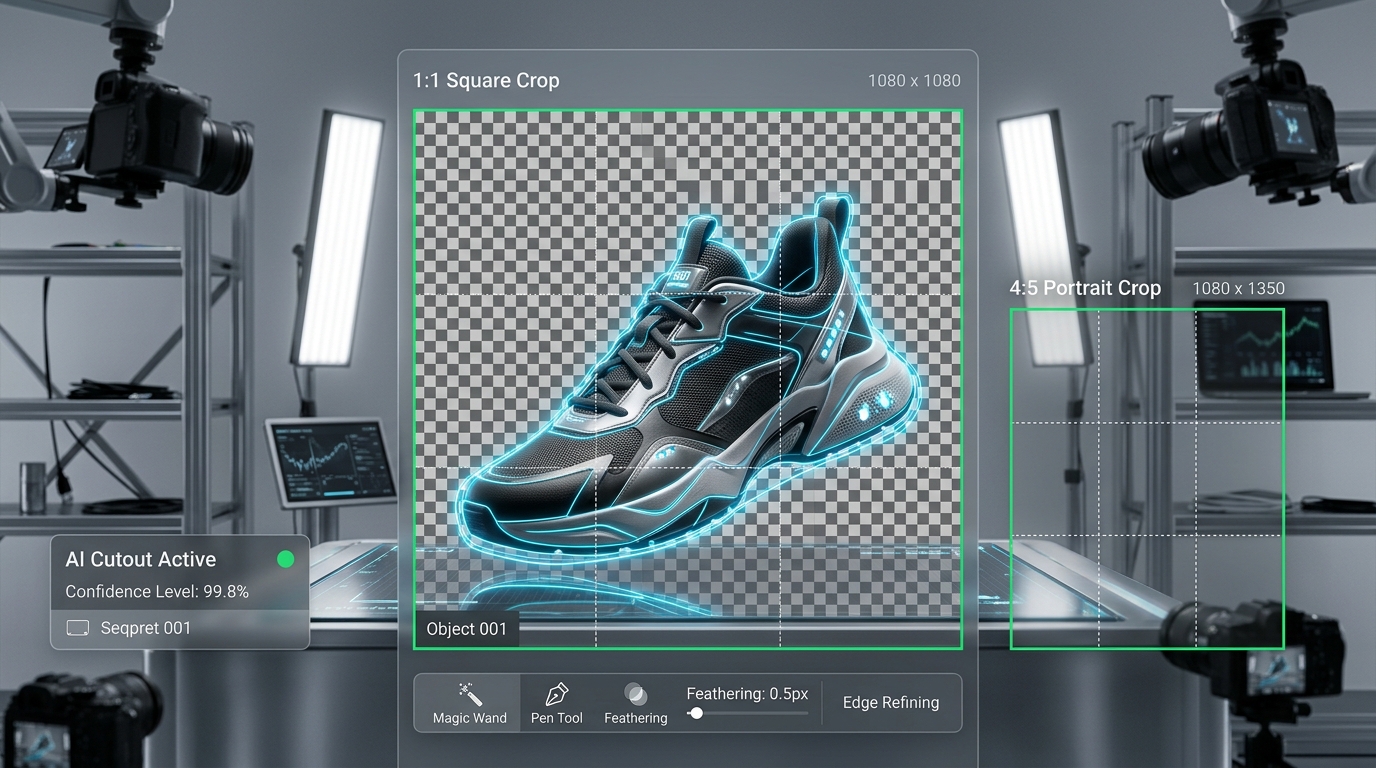
In 2026, visual presentation is the primary driver of online shopping decisions. High-growth e-commerce brands and commercial photography studios need fast, dependable ways to prepare product imagery for digital storefronts. Instead of slow, manual clipping paths, neural segmentation algorithms for ai image cutout combined with precision image cropping provide an efficient, privacy-first workflow directly inside the web browser.
Whether selling on Shopify, Amazon, Google Shopping, or social channels like TikTok Shop and Instagram, merchants face rigorous marketplace standards. Platforms often require pure white or transparent backdrops, uniform product margins, and standard aspect ratios. In this guide, we explore how in-browser neural segmentation and deliberate framing streamline product preparation, and how you can implement an effective AI background removal workflow using free, client-side tools.
1. The Evolution of the AI Image Cutout: From Pen Tools to Neural Segmentation
For decades, creating a clean product cutout required graphic designers to manually plot Bezier vector curves using Photoshop's Pen Tool. An intricate item—such as open-weave footwear, jewelry, wire-rimmed eyewear, or textured apparel—could take 15 to 30 minutes of labor per view.
How Modern AI Cutout Algorithms Function
In 2026, deep vision models and semantic edge-detection networks have largely replaced manual clipping paths. Modern neural models deliver notable practical benefits:
To experience instant, private subject isolation without software installations, you can test your product photos in our browser-based AI Background Remover.
Visual Demonstration: Real In-Browser Background Removal in ImageProBox
 Figure 1: Authentic browser capture of the ImageProBox AI Background Remover interface showing a product photograph loaded prior to background isolation.
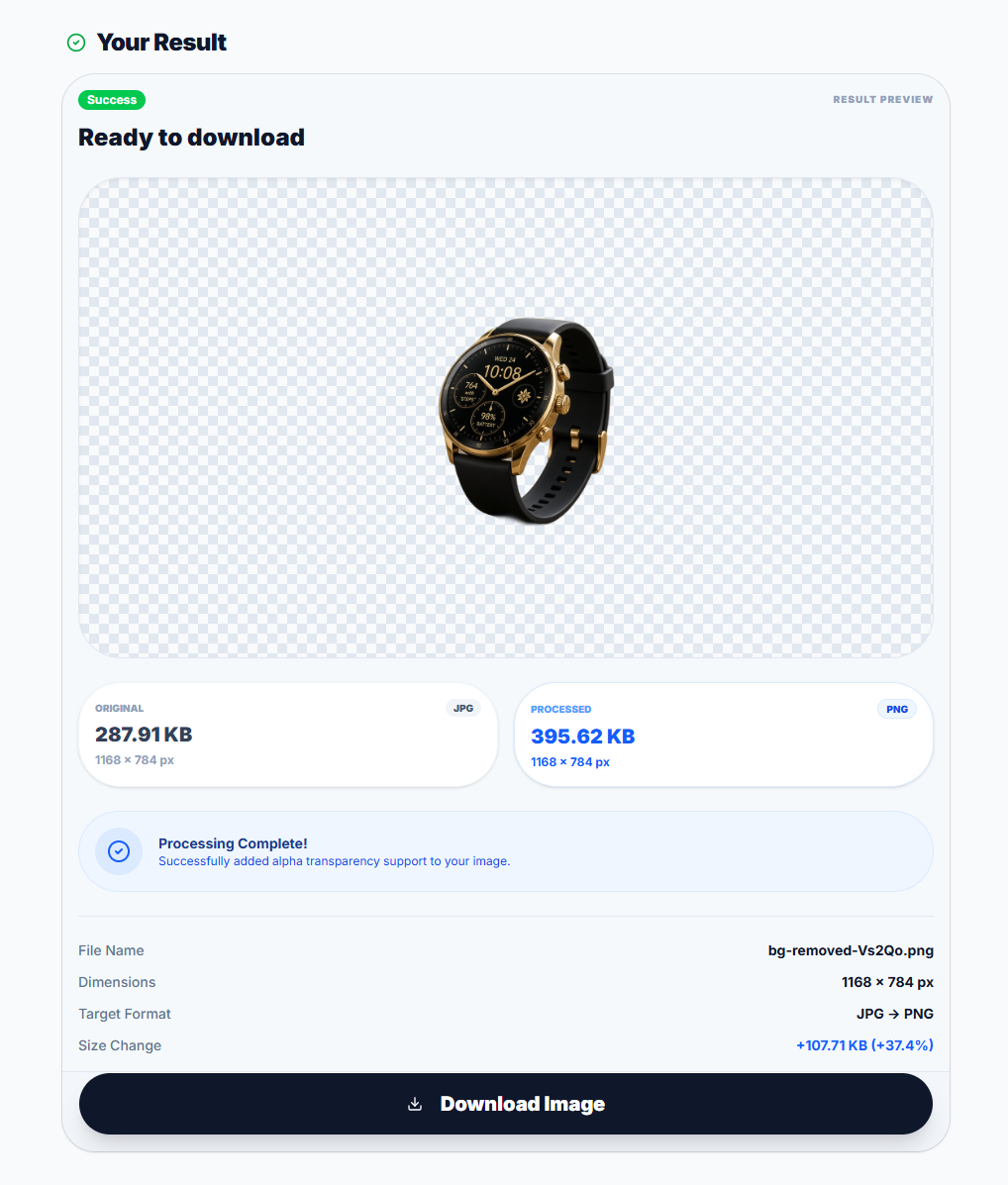 Figure 2: Actual processed result previewed on the transparency checkerboard in ImageProBox. Real-world edge definition depends on source lighting, subject-to-background contrast, and perimeter texture; intricate or low-contrast edges may require manual inspection.
2. Image Cropping & Framing: Controlled Composition for Multi-Channel Retail
Isolating a product is only the first step. Modern e-commerce merchandising requires serving identical products across multiple channels, each enforcing unique display dimensions:
Why Interactive Manual Cropping Outperforms Blind Automation
Rigid automated scripts frequently cut blindly from the geometric center of an image, accidentally severing handles, shoe tips, or garment collars. An interactive manual cropper gives merchants deliberate, human-supervised control over the final presentation:
1. Fixed Aspect Ratio Presets: Instantly lock standard proportions (1:1, 4:5, 16:9, and more) so that every product silhouette matches your store's category grid.
2. Custom Margins & Freeform Drag Handles: Freely position and resize the crop box to provide an intentional 8% to 12% breathing cushion around the silhouette, preventing products from appearing uncomfortably cramped.
3. Rotation and Flipping Controls: Quickly rotate images in 90° increments (clockwise or counter-clockwise) or flip horizontally and vertically to align angles and orientations across product variations.
To standardize your product framing across desktop and mobile formats, use our privacy-focused Advanced Image Cropper.
3. The 4-Step Professional E-Commerce Image Workflow
Building a dependable, privacy-focused image preparation routine does not require expensive subscription suites. Follow this straightforward, single-image workflow to prepare high-resolution studio exports for web deployment:
Step 1: Ingestion & Local Quality Control
Inspect your original high-resolution photo on your local machine. Verify that the product has consistent lighting, sharp focus on primary textures, and sufficient contrast against the backdrop for optimal segmentation.Step 2: In-Browser Neural Masking & Background Extraction
Drop your individual product photograph into our AI Background Remover. The neural model analyzes the foreground subject and generates a transparent 32-bit RGBA PNG directly in your browser. Because processing runs locally, high-resolution source images may be safely downscaled to maintain memory stability.Step 3: Precision Manual Framing with the Image Cropper
Load the resulting transparent cutout into the Advanced Image Cropper. Select your required aspect ratio preset (such as 1:1 for product grids or 4:5 for mobile fashion), adjust the cropping handles around the item to preserve balanced margins, and apply 90° rotation or flipping if needed.Step 4: Next-Gen WebP Conversion & Client-Side Compression
Convert the cropped transparent asset to WebP format using our WebP Converter, or apply lightweight lossy optimization with our Image Compressor. Both tools run entirely in-browser, helping you produce crisp, sub-100KB product assets that improve Google Core Web Vitals and load instantly on mobile networks.4. Privacy, Speed, and Zero Cloud Uploads: The In-Browser Advantage
A major concern for commercial photographers, luxury brands, and independent merchants is asset confidentiality. Traditional cloud cutout APIs require uploading unreleased product photography to remote server farms, creating risks of intellectual property exposure.
ImageProBox provides a privacy-first alternative:
5. Traditional Studio Editing vs. Modern In-Browser Workflow
| Dimension | Legacy Manual Retouching | Modern In-Browser Workflow (2026) |
|---|---|---|
| Cutout Method | Manual Pen Tool clipping paths | In-browser neural segmentation (contrast-dependent) |
| Processing Time | 10–25 minutes per product view | Seconds per image directly in the browser |
| Composition & Framing | Manual canvas resizing & eyeballing | Interactive cropper with fixed aspect ratio presets & rotation |
| Data Privacy | Cloud API uploads or external outsourcing | 100% in-browser local execution |
| Cost & Access Model | High outsourced retouching fees or paid subscriptions | Free, open access on ImageProBox (single-file sequential) |
Modernize Your E-Commerce Visuals Today
Adopting an in-browser AI background removal workflow and deliberate manual framing enables merchants to standardize product visuals while safeguarding proprietary media. By handling segmentation, framing, and compression directly on your machine, you maintain complete creative control over every listing.
Prepare your product photography right now with our free, browser-native tools: