Batch Image Resizing vs. AI Background Removal: The Ultimate Workflow for Fast E-Commerce Updates
Discover how batch image resizing and AI background removal work together to optimize product images for online stores, accelerate catalog updates, and drive conversions.
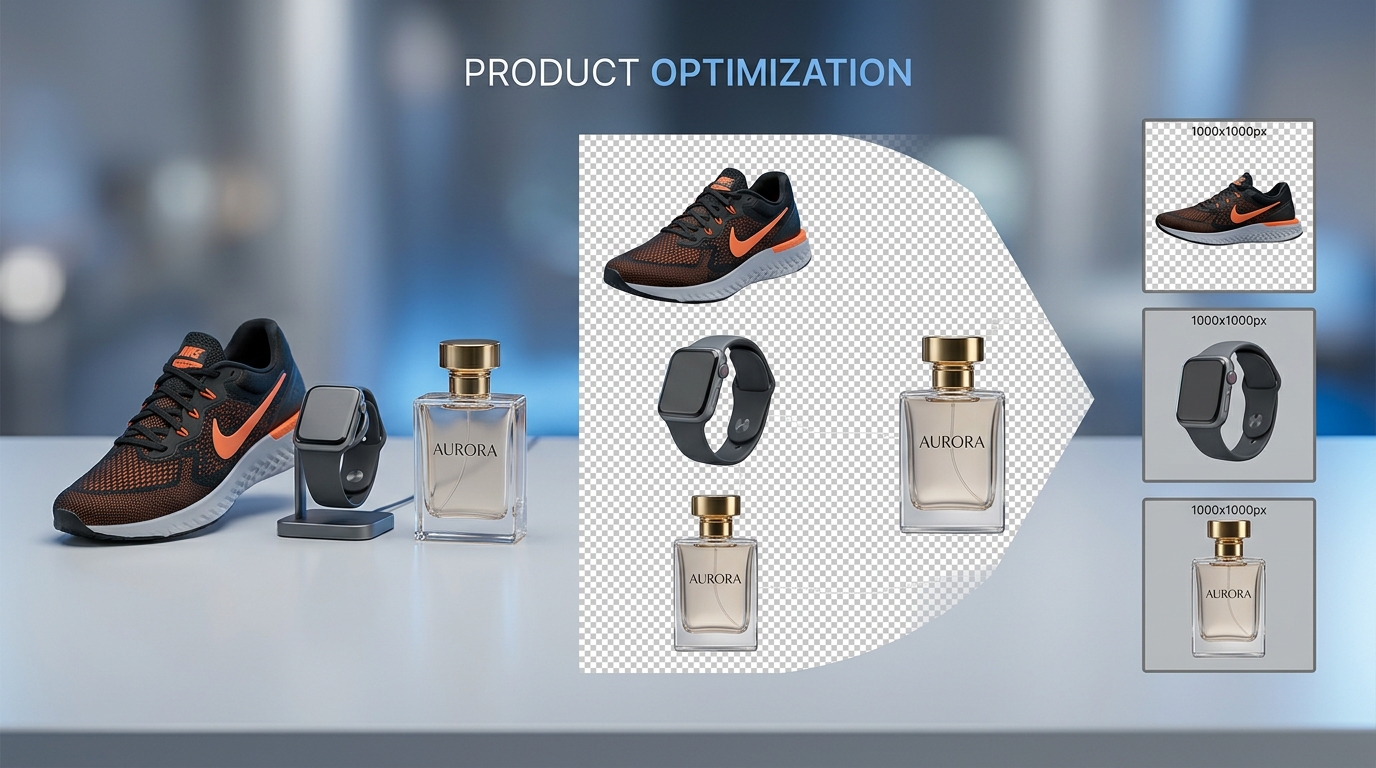
In the competitive world of e-commerce in 2026, visual merchandising is the single most influential driver of customer purchasing decisions. Whether managing a bustling Shopify storefront, scaling an Amazon FBA brand, or refreshing seasonal collections on WooCommerce, store owners face an unrelenting challenge: how to rapidly update hundreds or thousands of product photos without sacrificing visual quality or site performance.
When updating product catalogs, merchants frequently encounter two distinct visual bottlenecks. First, raw product photos straight from high-end mirrorless cameras come with massive pixel dimensions (often exceeding 6000×4000 pixels) that severely drag down page speed if not handled correctly. Second, inconsistent studio backgrounds, busy lifestyle settings, and unwanted shadows create visual clutter that distracts shoppers and violates strict marketplace compliance guidelines.
This dilemma introduces a fundamental operational debate: Should you focus on batch image resizing, or is AI background removal the real secret to fast catalog turnarounds?
The short answer: You need both. When sequenced in an intentional, automated pipeline, these two capabilities create the ultimate workflow to optimize product images for online stores. In this comprehensive guide, we break down what each technology does, compare them head-to-head, and demonstrate how to build an ultra-fast, privacy-first production line directly in your browser.
1. Deep Dive: What Batch Image Resizing Solves
Batch image resizing is the automated process of adjusting the pixel dimensions, aspect ratio, and canvas margins of dozens or hundreds of image files simultaneously.
Why Sizing Consistency Matters
Shoppers subconsciously judge the credibility of your online store based on visual symmetry. If one product image is a vertical portrait, the next a panoramic rectangle, and a third a squished square, category collection grids appear broken and amateurish.Core Problems Solved by Batch Resizing:
To standardize your product catalog dimensions in seconds without software installation, use our free, browser-based Image Resizer.
2. Deep Dive: What AI Background Removal Solves
While resizing addresses dimensions, AI background removal solves visual purity, isolation, and cross-platform flexibility. Powered by deep convolutional neural networks and semantic edge-detection transformers, AI cutout tools instantly identify foreground products and strip away extraneous studio walls, lighting rigs, or domestic clutter.
Why Background Removal is Critical for Modern Merchants
Major sales channels enforce rigid visual standards. Amazon strictly mandates pure white backgrounds (`RGB 255, 255, 255`) for main listing images. Google Shopping and eBay similarly demote listings that display watermarks, props, or busy backdrops. Meanwhile, direct-to-consumer (DTC) brands on Shopify rely on transparent PNG and WebP cutouts to place products dynamically over custom pastel, dark mode, or lifestyle theme backdrops.Core Problems Solved by AI Background Removal:
Extract crisp, transparent cutouts in one click with our privacy-native AI Background Remover.
3. Head-to-Head Comparison: Batch Resizing vs. AI Background Removal
Understanding the distinct roles of each technique allows e-commerce operators to deploy them at the ideal point in the asset pipeline:
| Operational Dimension | Batch Image Resizing | AI Background Removal |
|---|---|---|
| Primary Objective | Standardize dimensions & reduce pixel overhead | Isolate subject & eliminate visual clutter |
| Primary Metric Impacted | Page load speed, LCP, layout stability (CLS) | Add-to-cart rate, bounce rate, marketplace approval |
| Input File State | Any cropped or isolated image file | Raw, studio, or lifestyle product photograph |
| Processing Bottleneck | Canvas scaling, aspect ratio locking, batch output | Foreground detection, alpha matting, edge refinement |
| Typical Speed per 50 SKUs | Under 15 seconds | 1 to 2 minutes |
| Output Format | JPEG, PNG, or WebP at exact pixel specs | Transparent PNG or WebP alpha cutout |
| Ideal Stage in Pipeline | Step 2 (Directly after background isolation) | Step 1 (First step upon ingesting camera assets) |
4. The 4-Step Master Workflow: How to Optimize Product Images for Online Stores
To achieve rapid catalog updates without sacrificing quality, follow this battle-tested, 4-step e-commerce pipeline.
Step 1: Batch Isolation with AI Background Removal
Never resize your unedited raw files first. Scaling an image down before running background removal discards valuable sub-pixel edge data, resulting in frayed borders and missed details.Step 2: Batch Image Resizing and Uniform Canvas Centering
Now that your products are cleanly isolated, bring the transparent assets into our Image Resizer:Step 3: Modern WebP Conversion & Quality-Controlled Compression
Transparent PNG files can be notoriously heavy. To ensure rapid loading on mobile networks:Step 4: Multi-Channel Store Publishing & Core Web Vitals Auditing
Upload your standardized, ultra-lightweight WebP assets to your Shopify, Amazon, or WooCommerce store.5. Marketplace Sizing & Background Cheat Sheet for 2026
To maximize conversions and avoid listing rejections, reference these standard marketplace specifications:
6. 100% Client-Side Privacy: Why In-Browser Processing Beats Cloud APIs
When preparing unreleased seasonal collections, proprietary fashion lines, or patented prototypes, data privacy is paramount. Traditional cloud-based image optimization APIs transmit your unreleased assets across external servers and foreign cloud storage facilities, exposing your brand to potential IP leaks and security vulnerabilities.
ImageProBox provides an entirely different paradigm:
Supercharge Your E-Commerce Product Pipeline Today
Streamlining how you optimize product images for online stores is the fastest, highest-ROI operational upgrade you can implement for your business in 2026. By combining the visual precision of AI background removal with the rapid standardization of batch image resizing, you protect your site speed, deliver cohesive visual merchandising, and convert casual visitors into repeat buyers.
Ready to transform your product catalog? Try our free, privacy-first tools right now: